No Results Found
The page you requested could not be found. Try refining your search, or use the navigation above to locate the post.


 Estimated reading time: 7 minutes
Self-publishing their books online and side-stepping the traditional publishing route is a way that many authors make their publishing dreams come true. But just how do you go about publishing your book online? What can you expect from the process and what will be expected of you in return? This comprehensive guide will teach you how to craft your manuscript, publish your book, and market it effectively.
1. How to kickstart your online publishing journey
2. Crafting your manuscript for online success
3. Designing a book that stands out online
4. Editing your book
5. Printing your book
6. Online distribution platforms for your book
7. Promoting your book in the digital age
8. Understanding royalties and pricing your book online
9. What to do after you’ve hit ‘publish’
10. FAQs
Before you begin writing, take some time to brainstorm. Consider your topic, target audience, and the main plot points you want to hit or information you need to include. A well-thought-out plan makes your writing process smoother and more enjoyable. Some things to consider are as follows.
Understanding your genre and target audience is crucial for effective writing. Whether you’re crafting a fantasy world for young adults or writing a self-help book for professionals, knowing who you’re writing for can significantly enhance your focus. Creating targeted content that appeals to specific reader demographics ensures your work resonates with this readership and stands out among the competitive market.
An outline is your roadmap to writing success. Break down your book into chapters, sections, or major plot points to stay organised and maintain a logical flow. This method helps to structure your story or content, enhancing readability and keeping your audience engaged.
Writing a book can feel overwhelming. To make the process easier, set small, manageable goals such as writing one chapter a week. Celebrate each milestone to stay motivated and keep your writing momentum going.
Now that you have a plan, all that’s left at this stage is to start writing your book! Crafting a great manuscript is crucial, so focus on quality content to engage readers and boost your chances of success.
A captivating book cover can significantly boost your book’s appeal, but there is a crucial thing you as the author needs to do:
Let your book designer loose.
After briefing the book designer of your needs and the style you’re looking for, don’t try to manage the process. Instead, let your designer do what they do best and design you a great book cover and effective typography. They will have ideas and industry insight that you may not, so their expertise is invaluable.
At Green Hill, our experienced book designers design professional book covers to ensure your book stands out and holds up to the standards of traditional published books in the market.
Editing is a crucial step in the book publishing process and should never be overlooked. A well-edited book has improved readability, a clearer storyline and structure, enhances the reader’s experience, and ensures your content remains professional and polished.
Begin by reading your manuscript aloud to catch errors and awkward phrasing. Use tools like Grammarly to enhance your proofreading for grammar and spelling checks. Improve your writing with these editing tips for authors. Check out our post about drafting your own work for a little extra assistance.
Hiring a professional editor for your book will give you a comprehensive review help you to enhance your book even further. Editors provide valuable insights and help polish your manuscript, ensuring it stays well-written and engaging. For more about what is involved in editing a book, read our post on book editing for self-publishing.
After completing the editing process, it’s important to review the changes and proofread your manuscript multiple times. This is to check for any remaining errors or inconsistencies or introduced errors from the track changes process. Doing these reviews ensures a polished and professional final product and minimal errors. Thorough proofreading can significantly improve the quality of your writing.
If you love holding a physical copy of a book over an eBook, printing your book would be the route for you. There are many book printing services to choose from, but the main differences are whether they are Print-on-demand or a Bulk (trade) printer.
Online book distribution is crucial for any author to reach a global audience. Major online publishing platforms like Amazon KDP and IngramSpark simplify the process of publishing your book online, and Green Hill can help our authors distribute with both of these platforms. If these platforms aren’t for you, there are other smaller options available for authors with different needs.
Amazon Kindle Direct Publishing (KDP) stands out for self-published authors. This platform provides easy-to-use tools to format your book and reach millions of readers worldwide with an option for expanded distribution in the US and UK. Self-publishing with KDP expands your audience and boosts your book’s visibility.
IngramSpark gives authors access to global distribution channels of over 30,000 online and brick-and-mortar bookstores, including libraries. Authors can reach a wider audience with both print-on-demand and digital publishing options available.
Barnes & Noble Press offers an excellent self-publishing option for authors. This platform allows authors to easily create an account and publish their book with simplicity.
You can also self-sell your book directly from your own author website. This strategy lets you control pricing, maximise sales, and gather your customer details for marketing. Selling books online directly from your author website also helps you build a closer connection with your audience as they feel more connected to you personally, rather than going through a third-party retailer. If you’re interested to know more about author websites, check out our author website services.
Marketing is essential for making your book stand out among the book market. Green Hill offers expert book marketing services as part of our Premium Package or for individual purchase to help you reach your target audience and boost book sales. Some strategy points to start with include the following:
Correctly pricing your book is crucial for maximising your book sales, so understanding book royalties will help you to make informed pricing decisions. Some tips to do this include:
Publishing your book is just the first step. To ensure your book is an ongoing success, follow these key strategies for book promotion and marketing:
Track your sales and read customer feedback. Use this valuable information to enhance your future projects and get real-time insight into how your readership feels about your book. Tracking sales and analysing customer feedback with an open mind will lead to better project outcomes.
Start planning your next book or series today to stay active in the writing community and give your readership something to look forward to and stay loyal for. Regular releases can help build a loyal reader base and boost your author brand.
Engage with your audience through social media, email newsletters, and author events. Building a strong online community boosts long-term success, so be sure to stay connected and foster relationships with your readership for lasting results.
The timeline for publishing a book depends on editing, formatting, and distribution factors. Typically, the process takes anywhere from a few weeks to several months. Understanding these steps will help you plan your book’s publishing schedule more effectively.
An ISBN is essential when it comes to selling physical books, eBooks, and audiobooks, too. ISBNs help catalogue, distribute, and make your book easily discoverable by readers. Some books need (such as sheet music publications and serials) require other identification numbers such as ISSNs and ISMNs.
Yes, most online publishing platforms allow you to update your book’s content even after publication. This feature is perfect for fixing errors or adding new information.
The page you requested could not be found. Try refining your search, or use the navigation above to locate the post.
The page you requested could not be found. Try refining your search, or use the navigation above to locate the post.


Estimated reading time: 7 minutes
More and more authors are choosing self-publishing, creating a growing demand for competitive book design that rivals traditional publishing. Fortunately, there are many book design software options available to help create professional-looking covers and typesetting. In this article, we’ll explore top book design software for independent authors managing their book production.
Self-publishing allows aspiring writers to share their work. But successful book publishing requires more than just writing. Book design plays a crucial role in the success of any book, but this often gets underestimated. Your book cover draws the first attention of potential readers, so it must be eye-catching, effective, and reflect your content in a way that a reader can understand without too much effort. Additionally, poor typesetting and design can damage the reading experience, no matter how well you write, so designing the content of your book is just as important.
The best book design software should be most if not all of the following:
You want intuitive software that doesn’t take weeks to learn, fits your budget, and includes tools to make your design exceptional. Effective design tools for self-publishers looking to design their own books can include templates, cover design options, and built-in typography and typesetting tools. As we’re not all graphic designers, these tools can help immensely and are key components of professional book design.
Adobe InDesign is a powerful tool for your typesetting and book layout, perfect for creating professional-grade books that stand up to the industry quality standards when done right. Whether you’re an experienced graphic designer or a beginner, Adobe InDesign offers an intuitive interface and features that cater to all skill levels, and there is plenty of resources available to help you learn the tricks and tools you’ll need for your project.
InDesign’s advanced typesetting capabilities provide control over text and layout for a polished final product. Its preflight feature ensures error-free designs before printing. InDesign excels in book design, allowing you to create stunning covers and easy-to-manage page layouts.
InDesign’s flexibility shines in book cover design, allowing for complex creations with multiple layers and effects. If you’re committed to producing standout book interiors and covers, Adobe InDesign is a top choice.
Canva is a user-friendly online graphic design tool lets you create a wide variety of designs for free. With its intuitive interface and extensive design templates, Canva simplifies creating professional-looking book layouts for print and digital publishing. A standout feature is Canva’s book cover design capabilities, allowing self-publishing authors to easily create great book covers in any size that you require and export them as images, PDFs, and more.
Vellum is a user-friendly program that simplifies the typesetting process of your book, delivering professional-quality results. The software’s intuitive interface helps you to create templated book layouts that will impress readers. Vellum also ensures perfect formatting for e-readers and print-on-demand services.
If you’re new to book design, you might wonder where to start. Before diving into book design software, it’s crucial to do some research. Check out online tutorials or read blog posts from experienced designers to grasp the basics. Start by familiarising yourself with the software’s features and play around a bit to learn how to use them. In self-publishing, the layout and design of your book significantly impact its reception by readers and how your book will fair in the book market, so spending your time learning the fundamentals will contribute to the success of your book.
Remember, book design includes more than just the cover; effective typesetting can elevate your book. With practice and patience, you’ll create beautiful and engaging designs for your books. Mastering book design software may seem intimidating for beginners, but with the right research and tutorials, anyone can craft professional-looking designs.
When self-publishing, book design is crucial to attract readers. Tools like Adobe InDesign, Canva, and Vellum cater to various needs and budgets. Prioritise ease of use, features, and cost to find the best fit for your project and skills.
The page you requested could not be found. Try refining your search, or use the navigation above to locate the post.
The page you requested could not be found. Try refining your search, or use the navigation above to locate the post.

Estimated reading time: 8 minutes
You’ve written the book and had it edited and polished up. Now, comes the next step: making a book cover. If you’re not a professionally trained book cover designer, this can seem like an impossible task. How do you know just the right fonts to use? Where do you find the right images and graphics without infringing on copyright? How do you create a harmonious layout that will make your target audience want to pick up your book and read it?
Simple: you forgo DIY and hire a book cover designer.
But now the question: how do I hire a book cover designer? Stick around and we’ll tell you the ins-and-outs of how you can prepare for, research, decide on, and hire the right book cover designer for you.
Book covers are an integral part of any book, regardless of how you plan to distribute (globally or to friends, family, etc.). Hiring a book cover designer will ensure that your book looks professional and is up to the same standards as your competitors. This in turn will help increase your sales and heighten the credibility and authority of your author brand.
Everyone says not to judge a book by its cover, but that is the first thing a potential reader will do to your book. Your book cover is the first tool in your marketing arsenal, so you need to ensure you get it right. A potential reader will see your spine or front cover first before they decide if they’re interested or just put it back on the shelf. So, your cover is the first deciding factor on whether your book is purchased or not.
You want your book to stand out on the shelf and interest readers, but you also need it to look like it belongs there. This means that you book needs to adhere to the following:
Your cover needs to work for you, not against you. Therefore, hiring a professional book designer will help ensure your cover is piquing readers’ interests while adhering to genre and market conventions.
The cost of hiring a book cover designer can vary widely depending on several factors, such as:
Freelance book cover designers typically charge either by the hour or by the project. Hourly rates can range from $25 to $150 or more per hour. Project rates can range from a few hundred dollars to several thousand dollars.
Design agencies may charge higher rates than freelance designers, but they also offer a wider range of services and a team of designers. Prices for a book cover design vary but can reach up to $5,000 or more.
Getting a book cover designed through Green Hill is included in the publishing package for your entire publishing process. Have a look through our publishing package options to see if something fits your project and get in touch today to receive a tailored proposal.
It’s important to keep in mind that the cost of a book cover design should not be the only consideration when hiring a designer. It’s important to consider the designer’s level of experience, portfolio, and communication skills. A more expensive designer may produce a higher quality and more effective design. This in turn can help your book to stand out among the competition and generate more sales.
The copyright for a book cover is typically owned by the person or entity that created the cover design. This means if you hire a book cover designer, they will typically own the copyright to the cover design unless otherwise specified in a contract.
The rights for book covers designed by Green Hill are signed over to the author after the relevant project payments have been received. This means that you own the book design and can use it however you like. However, we do maintain the right to use the book covers to promote our business on our social media and other promotional graphics.
In many cases, book cover designers will grant the author limited usage rights. Often, this will allow the author to use the design for their book and related promotional materials (such as promotional graphics directly related to the book). However, the designer may retain the rights to the design. This means the author cannot alter the cover without the designer’s permission or sell merchandise featuring the design.
Sometimes, the designer may transfer the copyright to the author for a fee. Or the agreement may specify that the copyright will be shared between the designer and the author.
It’s important to get the agreement in writing and have a clear understanding of the arrangement before starting the project. A clear agreement can help avoid any misunderstandings and ensure that the project runs smoothly and successfully.
The first thing that you need to figure out before looking for any book cover designers is whether you want your book cover to be illustrated or to use stock imagery.
Stock image book covers are very common and can be designed to look unique to your book by creating a composite image or using image editing software. Green Hill Publishing book cover designers are skilled in using stock images and use this technique to create the majority of our book covers. To see our books, head over to our Australian Authors Store website.
Many stock image websites, such as Shutterstock, iStock, Getty Images, and Envato offer a wide variety of high-quality photos and graphics that can be used to create a book cover. Stock image book covers are very commonly used in fiction and non-fiction as it is very easy to source high-quality images in a range of different styles, themes, and subjects.
When hiring a book cover designer who using stock images, it’s important to convey the theme, genre, and your vision for the book succinctly and effectively to your designer. They will need to know:
If you can convey these things to your book cover designer, you will be able to get a book cover that you are happy with while cutting down on the time it takes, and the images that are purchased (all stock imagery used will need to be purchased individually, though for concepts the book cover designer can just use previews with watermarks).
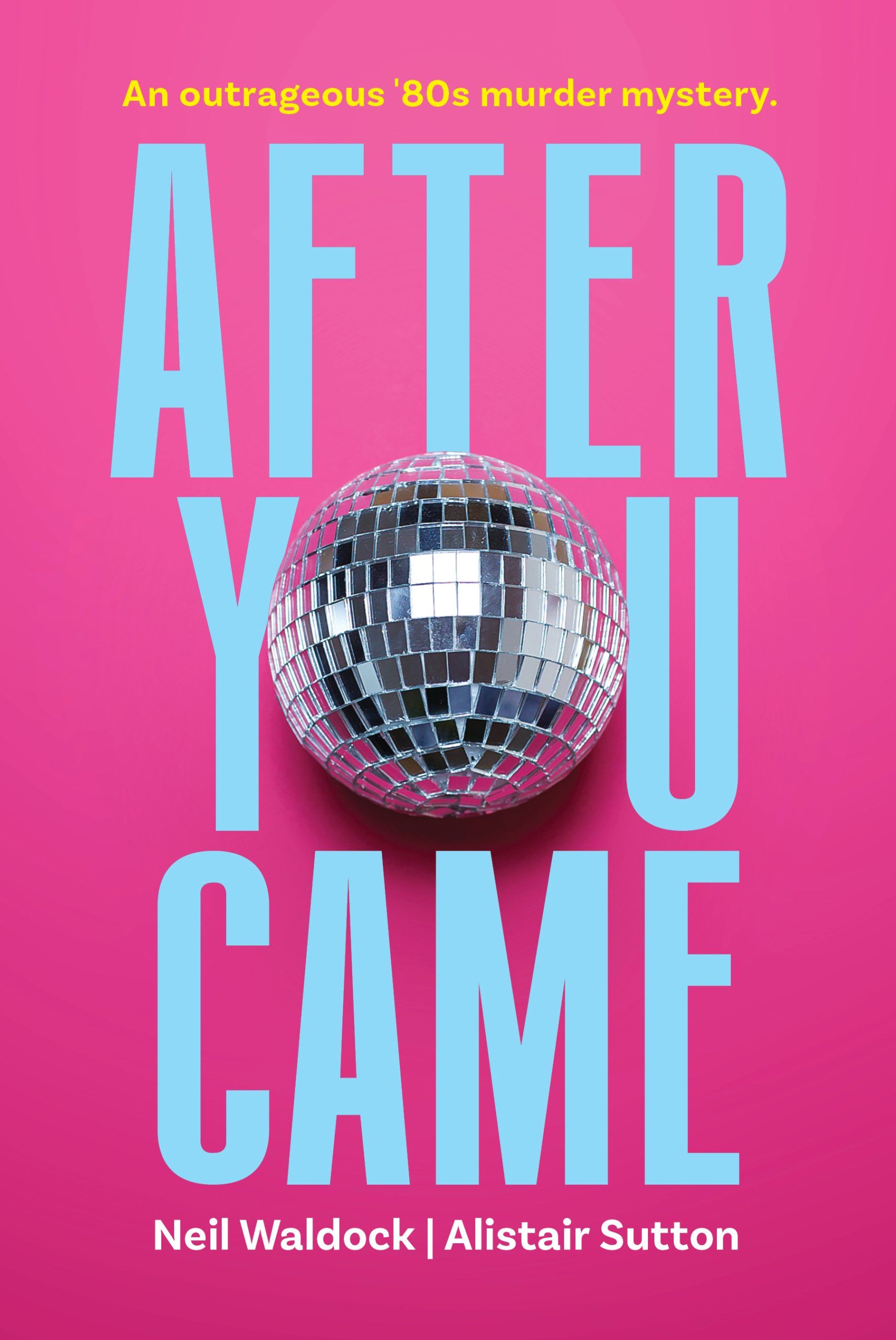


Illustrated book covers feature original artwork that is created specifically and uniquely for your book. The artwork can take many forms, such as hand-drawn illustrations or digital illustrations. They are a popular choice for children’s books, picture books, and graphic novels, but can also be used for other types of books such as fiction and non-fiction. An illustrated book cover can help to convey the tone and theme of the book and can also make the book visually appealing to potential readers.
When working with the illustrator, it’s important to provide feedback and make revisions as needed to ensure the final illustration meets your vision and expectations. Remember: be a big picture thinker; neither the illustrators patience nor your budget are endless, so make sure that you are only asking for alterations on the book cover when it is needed. Once the illustration is complete, you will receive the final files in a format that can be used for the book cover, such as a high-resolution JPEG or PNG.
Keep in mind that Illustrated book covers tend to be more expensive than stock image book covers as they require a longer timeline to create.


Whether you should get an illustrated book cover or a stock image book cover depends on your specific needs and goals for the book. Here are some factors to consider when making your decision:
Ultimately, the decision should be based on your budget, your timeline, your target audience, and also your own personal preferences. Do what is right for you and your book.
Green Hill Publishing specialises in bespoke book cover design. Our designers know the market and are skilled at working to a brief from the author. Head over to our Australian Authors Store website, or have a look at our publishing packages and see if we are the right solution for you!
If you’d like to shop around instead, there are many book cover designers out there who have very different styles, strengths, and weaknesses. Ask yourself a few questions before you start researching:
Start compiling book covers that fall into the same categories as inspiration and figure what you like the best. From here you can start to look for book cover designers who do the things that you like. Go to online marketplaces such as Upwork and Freelancer, or social media platforms like Behance and Dribbble and search for book cover designers who create covers you like. They will have portfolios of all of their work available to look at—be sure to save your favourites for later reference.
Look at their reviews and testimonials, too. Book cover designing is like any job, past clients will likely have left reviews of their professionalism, service, and artwork to help other potential clients feel confident in the book cover designer that they’ve chosen.
Once you’ve made a list of potential designers, go back through and narrow down a short-list. Now, you’re ready to start contacting.
The page you requested could not be found. Try refining your search, or use the navigation above to locate the post.
The page you requested could not be found. Try refining your search, or use the navigation above to locate the post.