No Results Found
The page you requested could not be found. Try refining your search, or use the navigation above to locate the post.

 Estimated reading time: 10 minutes
Marketing your self-published book doesn’t have to be difficult – Green Hill Publishing provides guidance on how to engage in marketing successfully.
Book marketing is the process of promoting a book to potential readers and increasing your book’s visibility within the book market. This can include many different tactics which will be touched on below, such as, creating a successful social media presence, reaching out to book bloggers and book reviewers on different platforms, using paid advertising, collaborating with authors and reading groups or book clubs, and more.
The goal of book marketing is to generate interest in your book, attract new readers, and increase sales. It is an ongoing process which requires creativity, persistence, and a deep understanding of both your book and the target audience, as well as your book’s place within the market. Additionally, self-marketing efforts would work best in conjunction with book publicity, which is a focused effort to help generate reporting and coverage of your book via the media.
Determining who the target audience for your book is an important and vital step in the marketing process. A target audience is a group of people who are most likely to be interested in your book and will more than likely purchase it.
Consider the following points when determining your target audience:
Self-marketing is not an easy job by any means. You must put in the work if you want your book to succeed. Remember: marketing of any kind is a long-term job, and it takes time, effort and consistency, but it will pay off in the end if you do it right.
The first key component of marketing your book is ensuring that you have an author platform to use as your ground-zero. Building an author platform means that you need to develop a strong online presence to help connect with readers and build a fanbase which will be loyal to you and your book or books.
There are also many marketing strategies that can you can use to promote your book in a specific way that works for your author platform, author brand, and book type.
Some of these include:
Developing a well-rounded marketing strategy that combines at least a couple of these tactics is a good idea. It is also important to be consistent and to research your target audience. The more you know about your target audience, the more you can tailor your marketing efforts to make sure you reach the right people.
The most important thing is to keep your readers engaged. Keep in touch with them through a website, social media and email lists to keep them up to date on your writing and any new projects or opportunities you are working on.
Successful book marketing is one that generates interest and sales for your book in an effective manner. Your marketing should have a strong and consistent message which can be determined easily—it must effectively communicate the value and unique selling points of the book.
Successful book marketing has measurable results. This means that clear goals and objectives should be set to measure the results of the marketing (this also makes it easier to track).
Ultimately, successful book marketing is dependant on the individual book, the target audience, and resources used in the marketing campaign. As well as this, the author must be willing to consistently work on the marketing. It is essential for both the author (and/or the marketing team) to have a clear understanding of the book market, the genre of the book and the target audience, and adapt their marketing strategy appropriately.
A good book review is an honest and well-expressed analysis of a book that provides prospective readers and a sense of the strengths and weaknesses of a book. Some key elements of a good book review are:
Book reviews assist in marketing your book as they provide potential readers an overall idea of what they can expect in a book, which gives the reader a chance to decide if this is something they are interested in. Not only do they do this, but they also give an independent assessment of the quality of a book, often shortcutting lead times and encouraging people to pick up a copy.
Positive book reviews also provide word-of-mouth advertising, as most readers, reviewers or book bloggers will share their thoughts with their friends, family and followers. In addition to this, a good number of positive reviews can help books become more visible on online retailer websites such as Amazon, Booktopia and Book Depository (as well as others) which can lead to increased sales.
Marketing does not happen overnight—it takes time, effort and consistency. However, it can be easy once you wrap your head around the wants and needs for your book!
Don’t know where to start on your marketing journey? Enquire with us to claim your copy of The Little Book of Big Marketing Tips and give yourself a head-start into the book marketing world!
The page you requested could not be found. Try refining your search, or use the navigation above to locate the post.
The page you requested could not be found. Try refining your search, or use the navigation above to locate the post.


Estimated reading time: 4 minutes
The Christian book market is big and it is booming. The Christian church has long been the source of a vast amount of written content, with the Guttenburg Bible being perhaps the first truly self-published book.
According to the ECPA the best selling Christian books as at March 2023 were as follows:
There are an estimated 2.4 billion Christians throughout the world, making Christianity the world’s largest religion and Christians by far the largest ‘people group’. This people group is not defined by geography, skin colour, gender or sexual orientation. Rather it is defined by belief – see Galatians 3:28. Christians follow the teachings of Jesus Christ, and the religion has continued to spread throughout the world over the past 2,000 years.
Where Christianity has spread, so has literacy (along with governmental, social, scientific and economic advancement). Literacy is a panacea for ignorance.
It is not surprising that literacy has been associated with the spread of Christianity because Jesus himself is described as the Word. The Bible’s New Testament was spread by the written word in the letters of Paul the Apostle and other apostles. Throughout the New Testament there are exhortations for Christians to ‘live in the Word’, many Christians taking this to mean to live in or meditate on the written word as printed in the Bible.
The Bible itself – the first self-published and first true crowdfunded book – is also planet Earth’s most influential and best selling book. It has been reproduced in print over 5 billion times.
The Christian church has historically been at the forefront of literture (writing) and artistic pursuit (painting and music).
With the above in mind it is suffice to say that literacy rates among Christians throughout the first, second and third worlds is significantly higher than the general population. This means there is a large and growing appetite for Christian books.
The Christian book publishing industry is a very significant part of the world’s publishing industry. Some of the largest Christian book publishers include HarperCollins Christian Publishing, Baker Publishing Group, Tyndale House Publishers, Zondervan, and Thomas Nelson.
The Christian self-publishing industry is growing at an even faster rate as thousands of Christian ministers and laypersons put revelation into print.
Yes. Australian Christians are avid readers of Christian books. They are hungry for well crafted books in terms of both content and design. Unfortunately sales of Christians books in Australia are dominated by high-profile American authors.
Of interest is that non-Christians also read Christian books, recognising that psychology (or taking pills) is not a complete answer to understanding the human condition and or resolving the problems of life.
Christians in Australia use several way to source content. Two of the primary methods are attending church services to listen to sermons and teachings. This is particularly relevant for Protestant Christians but can be present among Catholics. The second method is reading the Bible, again most applicable (but not exclusive to ) to Protestant Christians.
Other methods include sourcing audio recording including the streaming of church services, online videos e.g. YouTube, podcasts, radio broadcasts, television programs and books (both printed books and ebooks).
Printed books are distributed through all major bookshops, online retailers e.g. Booktopia, church bookshops, and ‘brick-and-mortar’ shops like Koorong and Word bookstores.
Koorong is now part of the Bible Society as part of its misson to spread the Word of God.
Koorong has been known among Australian Christians for more than 40 years, having started in a garage in Koorong Steeet Marsfield in the North of Sydney in 1978. Owned by Bible Society Australia since July 2015, they have grown strongly over 42 years with 14 retail stores located across every state and territory except NT having over 200,000 Christian titles available both in print and print on demand.
Koorong has a strong online presence, with an e-commerce website that offers a wide selection of products, as well as resources and tools for Bible study and devotions.
The page you requested could not be found. Try refining your search, or use the navigation above to locate the post.
The page you requested could not be found. Try refining your search, or use the navigation above to locate the post.
Estimated reading time: 11 minutes
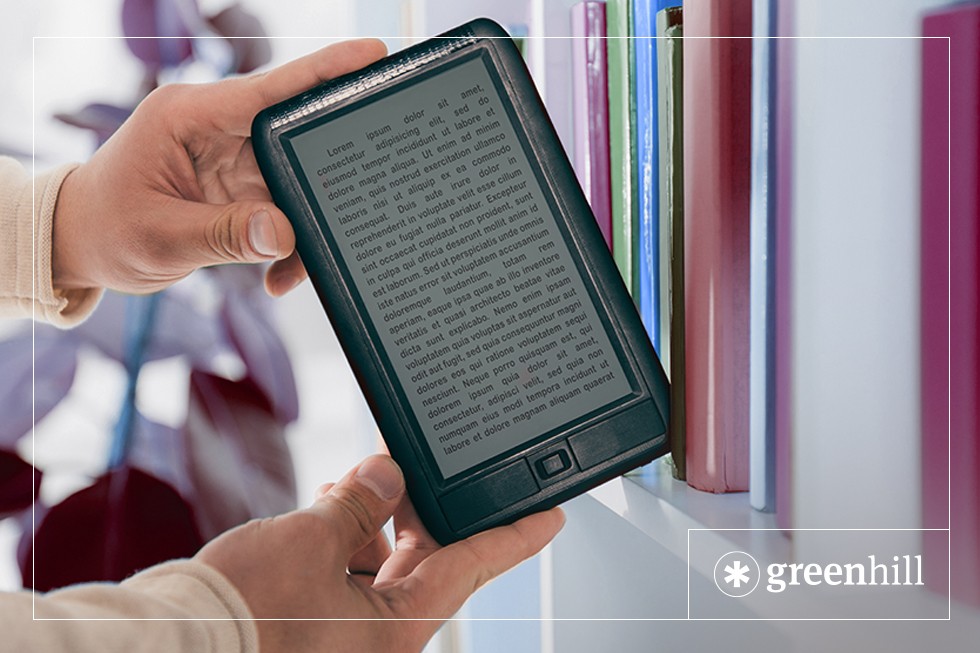
Self-publishing an eBook could be a good strategy for your project. They are a popular reading platform as they are easily transportable and affordable. EBooks are digital books that can be read online, on your computer, phone, and tablet, or on dedicated devices like e-readers and Kindles. Different devices and platforms require different eBook file types, like Mobi and ePub.
1. How to produce an eBook
2. Are eBook sales increasing?
3. Why you should distribute your eBook on Amazon
4. Understanding DRM when selling eBooks
5. What can eBooks sell for?
6. Can I DIY my eBook?
7. What is the difference between ePub and Mobi eBooks?
8. What is the difference between a reflowable and fixed-layout eBook?
There are a few different ways to produce an eBook, but all follow a similar set of steps. These steps include:
The sales trend of eBooks from 2022 showed that eBook purchases were steadily increasing, and had been for the past few years. Part of the success of eBooks is due to the rising popularity of eBook-compatible devices, such as e-readers and tablets. Another factor to the recent success of eBooks is the ease and accessibility of purchasing and reading eBooks online.
Though COVID has made it difficult to accurately predict future eBook sales trends, it overall seems that eBooks continue to be a popular format of the publishing industry.
Distributing your book on Amazon is a great way to utilise their marketing tools. This can mean a few different things for self-published authors and publishers alike:
First things first, what is DRM? DRM stands for Digital Rights Management and is a technology that controls how digital content, such as eBooks, can be used and distributed. It’s used to prevent unauthorised sharing, copying, and printing of eBooks, protecting the author’s intellectual property rights. DRM is embedded in the eBook file, and readers need special software or devices to access it.
As a self-published author, you want to ensure that your hard work is protected and distributed fairly. One way to do this is through Digital Rights Management (DRM), a technology that protects digital content and prevents unauthorised sharing. Both IngramSpark and Amazon KDP offer DRM for eBook sales. When you publish your eBook through IngramSpark or Amazon KDP, you have the option to include DRM protection. If you choose to protect your eBook with DRM, it’s important to keep in mind that you might be limiting your potential audience, which can translate to fewer book sales. If you find that your audience is more important to you than piracy prevention, you can choose to publish your eBook without DRM instead.
Typically, the price of an eBook varies widely. This is because it is dependant on a number of factors, including genre, length, and market demand. The majority of eBooks on Amazon and other major retailers generally sell for around $0.99 to $9.99 AUD. $2.99 to $4.99 is a common price-point for self-published eBooks.
However, just because your book is selling at that price, it doesn’t mean you as the author will receive all of the profits. The royalty rate that retailers like Amazon and Barnes & Noble offer to authors typically ranges from around 35% to 70% of the sale price. The exact amount depends on factors like the price of the eBook, the region it is sold, and whether the author is participating in any promotional programs.
It is worth noting that, when calculating the royalty rates you might receive, the percentages are based on the retail price of your eBook and not the retailer’s net profit after deducting fees and taxes. Additionally, some publishing contracts and distribution agreements may offer you a different royalty rate or payment structure.
It can be relatively easy to produce a basic eBook, especially with the help of various self-publishing platforms like KDP. These platforms let authors upload their text and cover image files, format the eBook, and publish it online through retailers like Amazon, Barnes and Noble, and Apple Books.
There are, however, some things to be wary of when trying to DIY your eBook. It can be more challenging to produce a high-quality eBook that stands out in the market when trying DIY avenues. Authors who choose to self-publish their eBooks should be prepared to invest time and effort into editing, proofreading, and formatting their book to ensure that it is professional and error-free. They should also consider hiring professionals to ensure that their editing, cover design, and text formatting is polished and market ready. It’s all about quality—the reader is more likely to buy your book if it looks well-made and professional.
Green Hill can generate a quality eBook during your print book publishing exercise.
While both ePub and Mobi are two common eBook formats, the two do have some key differences:
When an author decides to convert a manuscript into an eBook, the big decision is what format the book will be published in. There are two main types of eBook formats – fixed-layout and standard/reflowable layout. Let’s take a detailed look at both of the formats in order to choose the perfect option for your eBook.
Reflowable eBooks are more flexible and can adapt to changes in devices and screen sizes. For this reason, they are able to be read on a wide range of devices, including smartphones, computers, tablets, and e-readers. The content of a reflowable eBook is laid out as a single text column which can automatically adjust to fit the size of a device’s screen. They also let readers adjust font size and the font typeface, and so are a very accessible option.
Reflowable eBooks are usually the preferred choice of book types like novels, biographies, and other text-heavy genres that don’t need complicated or complex layouts or a high number of graphics. This kind of eBook is typically created as an ePub.
For eBook purists, ‘reflowables’ are often preferred because the eBook technology has been designed for a great reader experience. Readers can change fonts, text size and insert bookmarks. Refowables with graphics often present an issue for authors who want their eBooks to look pretty. But this can come at the expense of providing and easy read for purchasers. It best to simply anchor graphics to a particular spot in the text.
Fixed-format eBooks are made to keep true to the layout and design of the printed book version of the eBook. They are often used for genre’s such as childrens books, cookbooks, graphic novels, personal projects, and any other kind of book that has a complex layout and or a high number of graphics. EBooks that are made to be fixed-format are typically created as PDFs, Mobis, or KF8s. The content of a fixed-format eBook is presented page-by-page, with the visual elements (e.g. figures, tables, illustrations, photography, etc.) and text laid out exactly like they appear in the print version.
As discussed, for some purists, the fixed format eBook defeats the purpose for which eBooks were created in the first place. On the other hand placement of graphic material may be critical for reader comprehension e.g. for a cookbook an image and a table might best be viewed together.
The page you requested could not be found. Try refining your search, or use the navigation above to locate the post.
The page you requested could not be found. Try refining your search, or use the navigation above to locate the post.